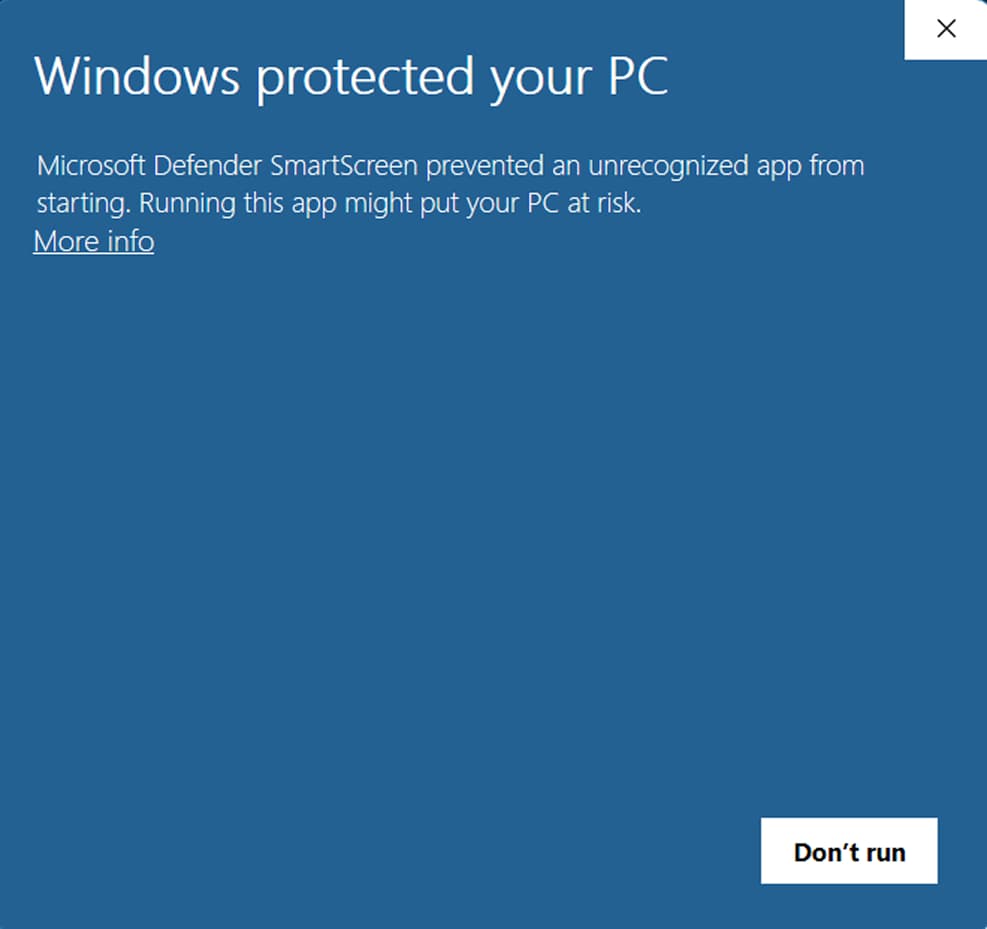
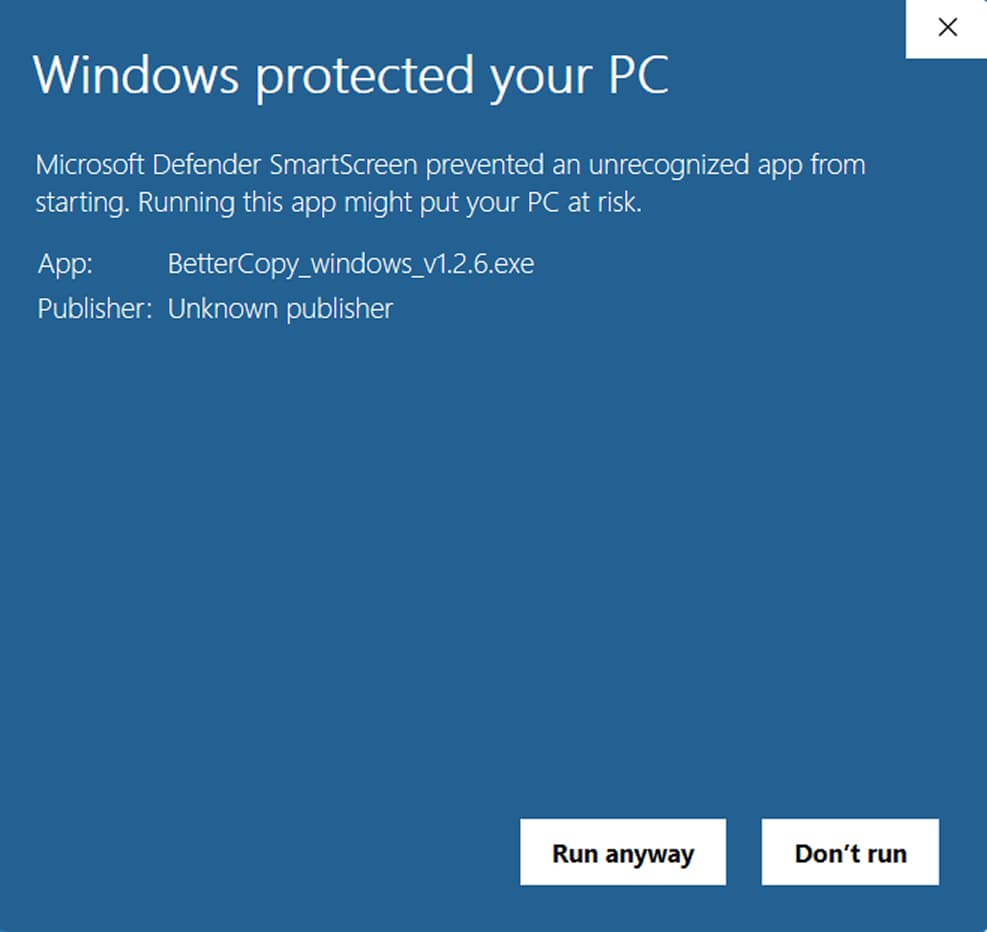
Windows may show an unknown-publisher warning for the installer. Check that the publisher is Better Copy, then choose More info → Run anyway to continue.
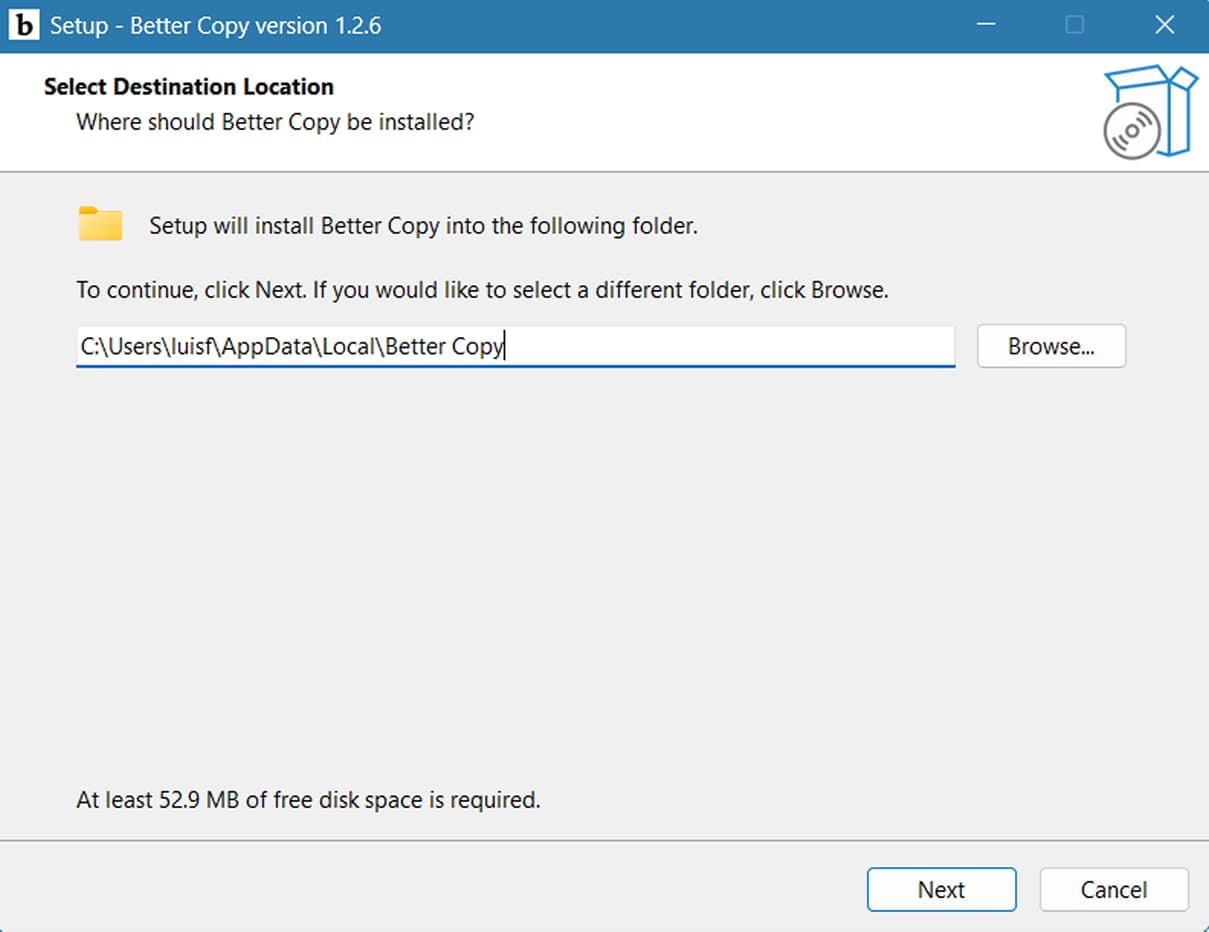
1. Open the downloaded installer.2. Select More info, then choose Run anyway to continue.3. Wait for the installer to appear, then follow the setup steps.
specs
System requirements
It runs on the laptop you already have
BetterCopy is deliberately light, a floating toolbar, not a suite. If your machine runs a browser comfortably, it runs BetterCopy.
Component
Minimum
Recommended
Operating system
Windows 10 (version 1809+), 64-bit
Windows 11
Memory
4 GB RAM
8 GB RAM
Disk space
200 MB free
500 MB free
Processor
Any 64-bit CPU from the last decade
Dual-core or better
Internet
Required for cloud enhancement
Broadband, most enhancements return in under 3s
Account
Free BetterCopy account (email + password, no card)
Local LLM offline? PRO
The optional on device model has its own appetite: allow 4–8 GB of additional disk space for the model files and 8 GB RAM for comfortable performance. Cloud modes stay light regardless.
asked
Before you click
The questions everyone asks first
01Is it really free?+
Yes, the free plan refills 100 credits every month, forever, with no card on file. Pro exists for heavy daily writers.
03Windows showed a publisher review?+
Windows SmartScreen may review newly published apps while download reputation builds. Confirm that the publisher is Better Copy and that the signature is valid; do not continue if Windows reports an unknown or mismatched publisher.
02How does the download work?+
Click the Windows download button and the App Installer feed opens after a short five-second countdown. Windows installs the matching signed MSIX package; then sign in free. When a new version is released, open the latest feed from this page.
04Can I quit it fully?+
Startup launch is optional (Settings → General). The red power button on the toolbar fully quits the app, with no background remnants.
More questions? The help center has the full setup, privacy, billing, and troubleshooting guide.
Download: Windows App for Sharper Messages | BetterCopy App